






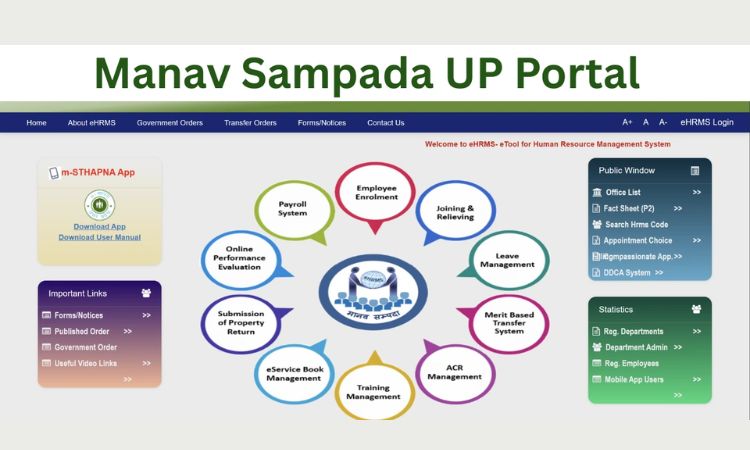
The Uttar Pradesh Government has launched the Manav Sampada UP Portal, a digital HR Management System that enables employees of Uttar Pradesh to have access to their HR records through an online platform.
The Manav Sampada (in Hindi: मानव सम्पदा) is also known as the EHRMS (Electronic Human Resource Management System). It enables employees to view and manage their Service Record, leave applications, transfer and promotion requests, training records, and performance evaluation records online.
The main goal of the Manav Sampada Portal is to provide an easy-to-use web interface to all government employees of Uttar Pradesh state departments with the goal of ensuring easy access to employee data, transparency and efficiency in HR processes.
eHRMS Manav Sampada UP – Overview
| Feature | Details |
| Portal Name | Manav Sampada UP |
| System Type | eHRMS (Human Resource Management System) |
| Launched By | Government of Uttar Pradesh |
| Purpose | Manage HR services online |
| Users | UP Government Employees |
| Services | Leave, Transfer, Promotion, Service Book |
| Official Website | ehrms.upsdc.gov.in |
| Helpline Number | 1800-180-5312 |
| Support Email | [email protected] |
What is UP Manav Sampada Portal Used For?
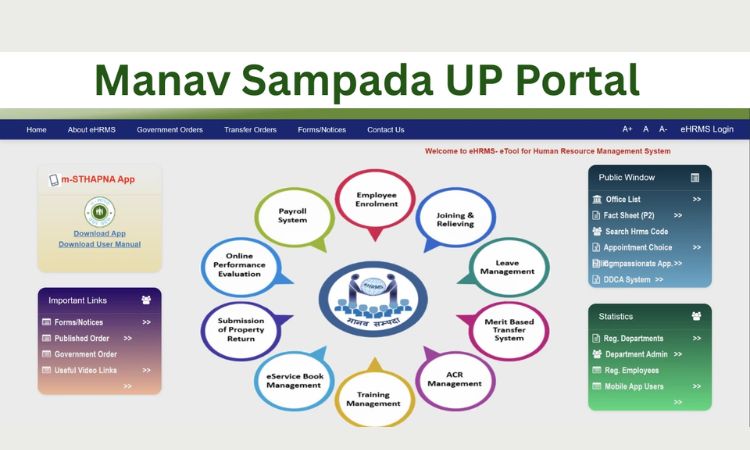
The UP Manav Sampada website offers various services related to employees, including:
- Submitting leave applications online
- Accessing information from an employee’s service book
- Employee’s employment and salary information
- Requests to transfer or be promoted
- Training/Performance records of the employee
This centralizes the HR functions of the government and eliminates large amounts of paper documentation.
Also Read – ULB NDC Haryana Portal
UP Manav Sampada Login: User ID and Password Explained
To access the site, employees must use their credentials to log in, which is done as follows:
- User ID: the Government assigned employee ID is an 8-digit employee ID
- Password: the default password is generally the first three letters of the employee’s first name (uppercase) followed by the employee’s birth year
- Example: If the employee’s name is Rajesh and he was born in 1985, the password would be RAJ1985.
- After the first login, users must change their password for security.
How to check your User ID and Password?
If you do not know your login credentials:
- Contact the nodal officer within the Department.
- Verify with your department whether you have completed the joining appointment documentation.
Request your credentials from the HR department.
Note: Employee Profiles can only be created by Departments and Self Registration is not allowed.
UP Manav Sampada Login Process – A Guide to Accessing the System Step by Step
To log in, follow the steps below:
- Visit the UP Manav Sampada Portal
- Select your Department Code
- Enter your User ID (Employee ID)
- Enter your password
- Complete the Captcha code
- Select “Login” to enter the dashboard
When logging in to the UP Manav Sampada Portal, make sure to select the specific Department Code to prevent login failure.
Also Read – What is BBA in Real Estate?
Leave Application in the UP Manav Sampada Portal
The UP Manav Sampada Portal has a feature to provide Employees with the opportunity to submit Leave Applications online.
- When submitting Leave Application online, Employees can track approval status and see their Leave History.
- The Employee’s Service Book will automatically be updated with records following the approval of the Leave Application.
- The system automatically updates records in the service book after approval.
How to Book UP Manav Sampada E-Service (Service Book Access)?
Employees can access their digital service book by following these steps:
- Log in to the UP Manav Sampada Portal
- Select the “Service Book” tab
- Select the “View e-Service Book” option
- Select the “Download” or “Print” option
The Digital Service Book contains the following information: Personal Details, Employment History, Leave History and Promotion Details.
How to Check Leave/ application Status Online?
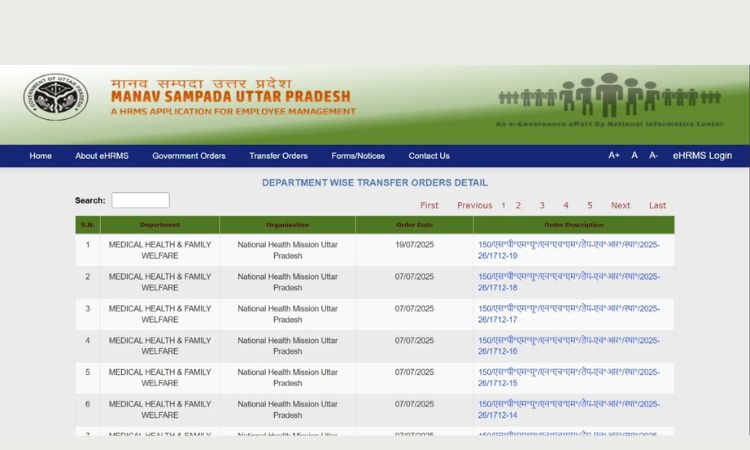
To check application or leave status:
- Log in to your dashboard
- Navigate to “My Requests” or “Leave” Section
- View your pending or approved requests
This feature ensures real-time tracking of HR processes without your need to visit offices.
Benefits of Manav Sampada UP Portal
The Manav Sampada UP Scheme provides a number of benefits including:
- HR management operations will be done digitally and hence are completely paperless.
- Faster approvals and processing as everything is digital, no slow paper hierarchy
- Employees’ records will be kept in one centralised location.
- high level of transparency with regards to employee transfers and promotions.
- Easy access to service history
- 24/7 online availability of all your employee data
Overall, it improves efficiency and governance in HR operations within Government Departments.
Manav Sampada UP Eligibility Criteria
To access the portal, Employees will have to meet the following eligibility criteria:
- Must Be a current or retired Government Employee in Uttar Pradesh
- Having a valid Employee ID Number
- Your employee information must have been entered into the system by the Department.
Only authorized personnel can access the portal.
What is EHRMS in Manav Sampada UP?
EHRMS (Electronic Human Resource Management System) is the digital platform of Manav Sampada UP. It manages and lists:
- Employee Service records
- Human Resource Management (HRM) workflows.
- Employee Performance Management data/Records.
This system allows the UP Government to improve and modernise the management of Government Employees digitally.
Helpline Number and Contact Details for Manav Sampada UP
For Support regarding Technical Issues or Login Issues related to the UP Manav Sampada Portal, please use the following Official Support Channels:
- Toll-Free Helpline: 1800-180-5312
- Email Support: [email protected]
- Authority Responsible for Project Implementation: NIC Team, Government of Uttar Pradesh
These channels provide support for password reset, login problems, and technical errors.
Why Manav Sampada UP Is Important for Government Employees?
The Manav Sampada UP portal helps to modernize HR operations for government departments. By eliminating manual processes, it reduces time, reduces corruption, and improves accountability.
Conclusion
For government workers in Uttar Pradesh, the Manav Sampada UP portal is a revolutionary digital platform that streamlines HR administration. The system guarantees convenience and transparency in everything from service book access and status tracking to login and leave applications.
Employees are empowered by the portal’s EHRMS-powered features, which enable prompt record access and effective service delivery. To enjoy hassle-free HR services, register through your department if you qualify and begin using UP Manav Sampada right now.
FAQs
1. How to login in ehrms up.gov in?
Visit the official Manav Sampada UP portal, select your department, enter your Employee ID (User ID), password, and captcha, then click on Login. Make sure you choose the correct department code to avoid errors.
2. How to create Manav Sampada id?
You cannot create a Manav Sampada ID yourself. The Employee ID is generated by your respective government department when your service details are entered into the system. Contact your department’s HR or nodal officer for assistance.
3. What is the password for Manav Sampada up?
The default password is usually the first three capital letters of your name followed by your birth year. For example, RAJ1985. You must change it after your first login for security reasons.
4. Who is eligible for Manav Sampada UP?
All serving and retired government employees of Uttar Pradesh whose records are registered in the system are eligible. Access is limited to authorized personnel only.
5. How to activate eHRMS?
Your eHRMS account is activated by your department once your employee details are uploaded into the system. If you are unable to log in, contact your department’s nodal officer to verify activation status.
6. How to login on manav sampada?
Go to the official portal, select your department, enter your Employee ID and password, complete the captcha verification, and click login to access your dashboard.
7. How do I know my eHRMS ID?
Your eHRMS ID is your official Employee ID provided by your department. If you do not know it, check your appointment letter, salary slip, or contact your HR department.
8. What is the use of Manav Sampada?
Manav Sampada is used to manage government employee records digitally. It allows employees to apply for leave online, check service books, track promotions, transfers, and view employment history.
9. How to apply for leave on eHRMS online?
Log in to your dashboard, go to the Leave section, select the type of leave, fill in the required details, and submit the request. You can track approval status from the same portal.
10. How to register on Manav Sampada UP?
Self-registration is not available. Only government departments can register employees in the system by uploading their official service records.
11. Who is eligible for e-sampada?
e-Sampada is mainly for government employees and officials eligible for government accommodation services. Eligibility depends on your department and official posting status.